In this post, I’ll be detailing how I setup Longhorn on my k0s Kubernetes cluster. I’ll be detailing the problems I faced, and how I got to the solutions.
First things first
To avoid the pitfalls, and countless hours of stressing that I had to face, ensure you follow the networking setup steps for Kubernetes Cluster Setup.
Install k0s
In case you haven’t you can go through How I setup my bare metal Kubernetes Cluster with k0s.
Install Cert Manager
In case you need TLS certificates and cluster issuers like I do, you can go through How I setup my Custom domain Step-CA backed Cert Manager with my k0s Kubernetes cluster.
Install Longhorn
Installing Longhorn was not a breeze, because of the few misses I had on my nodes, for iptables. But if you followed the prerequisites section, it would be straightforward for you.
Add the helm repo
helm repo add longhorn https://charts.longhorn.io
Update helm repos
helm repo update
Do the helm install
helm install longhorn longhorn/longhorn --namespace longhorn-system --create-namespace --version 1.7.2
Problems I faced and their solutions
I faced two problems:
-
a manager pod crash looping, citing
i/o timeoutto the kubernetes API (10.96.0.1) - This error made it evident that I had a networking issue with reachability on the node that was keeping the longhorn-manager pod in a CrashLoop (the i/o timeout was a dead giveaway, but it still took me a while to figure out what was going wrong). I resolved this withsudo iptables -P FORWARD ACCEPT. -
the
longhorn-driver-deployerwas stuck in Init (0/1) - This issue persisted even after the first one was resolved. But now I had a new log in the longhorn-manager pods. The last log there, said this:time="2024-11-15T12:44:27Z" level=fatal msg="Error starting manager: upgrade API version failed: cannot create CRDAPIVersionSetting: Internal error occurred: failed calling webhook \"validator.longhorn.io\": failed to call webhook: Post \"https://longhorn-admission-webhook.longhorn-system.svc:9502/v1/webhook/validation?timeout=10s\": tls: failed to verify certificate: x509: certificate has expired or is not yet valid: current time 2024-11-15T18:12:51+05:30 is before 2024-11-15T15:57:37Z" func=main.main.DaemonCmd.func3 file="daemon.go:94"Notice how it says
18:12:51+05:30 is before 15:57:37Z. That was a big clue. So,- I checked the date on all 4 of my nodes - 3 nodes had incorrect time, I’d set those up with RasPi Ubuntu Server image, which was using cloud-init.
- I checked the timezones on all 4 of my nodes -
timedatectl status | grep "Time zone"- The new one (4th one) was correct and UTC, but the rest 3 were IST and incorrect - I updated the timezone on the 4th node to be IST. No clue what I might have broken on the rest 3 nodes if I changed them to UTC, so I didn’t risk it.
- Now I had to make sure that the times were synced with ntp. And that got accomplished with -
sudo apt install -y ntp.
As soon as the NTP service got installed, and the times were synchronized, the longhorn-driver-deployer ran successfully, and a bunch of other pods followed suit.
And now, ladies and gentlemen, I had Longhorn running on my cluster.
Setting up Longhorn Ingress
To setup the Ingress, all I had to do was create the ingress configuration, and make sure that it points to my cluster issuer - letsencrypt-k0r0pt.
apiVersion: networking.k8s.io/v1
kind: Ingress
metadata:
  name: longhorn-ingress
  namespace: longhorn-system
  annotations:
    # prevent the controller from redirecting (308) to HTTPS
    nginx.ingress.kubernetes.io/ssl-redirect: 'false'
    cert-manager.io/cluster-issuer: "letsencrypt-k0r0pt"
    acme.cert-manager.io/http01-edit-in-place: "false"
    kubernetes.io/ingress.class: "nginx"
spec:
  ingressClassName: nginx
  tls:
    - hosts:
      - longhorn.k0r0pt.int
      secretName: longhorn-tls-secret
  rules:
    - host: longhorn.k0r0pt.int
      http:
        paths:
        - path: /
          pathType: Prefix
          backend:
            service:
              name: longhorn-frontend
              port:
                name: http
I then created the ingress with kubectl apply -f longhorn-ingress.yml.
And that was that.
Problems I faced and the solutions to those
I faced a problem with the ACME challenge not happening.
kubectl -n longhorn-system get challenge was saying that Waiting for HTTP-01 challenge propagation: did not get expected response when querying endpoint, expected "xxx-Redacted" but got: <!DOCTYPE html> <html la... (truncated).
This was the output of the describe challenge:
Spec:
  Authorization URL:  https://ca.k0r0pt.int:50443/acme/k0r0pt-acme/authz/hmK6dzhvuiWugfH6afQnIXRf90CZTs9M
  Dns Name:           longhorn.k0r0pt.int
  Issuer Ref:
    Group:  cert-manager.io
    Kind:   ClusterIssuer
    Name:   letsencrypt-k0r0pt
  Key:      m72bqjia3y6Wck8OaZ1tsuXgC642kx6z.hTI8N4YpWRXoAvUskw66OWkv8QUOuHz9yBo_5RJnKt8
  Solver:
    http01:
      Ingress:
        Ingress Class Name:  nginx
        Name:                longhorn-ingress
  Token:                     m72bqjia3y6Wck8OaZ1tsuXgC642kx6z
  Type:                      HTTP-01
  URL:                       https://ca.k0r0pt.int:50443/acme/k0r0pt-acme/challenge/hmK6dzhvuiWugfH6afQnIXRf90CZTs9M/EN4poXFEZEZt62v1eHNkWCyYHqDqIsEg
  Wildcard:                  false
Status:
  Presented:   true
  Processing:  true
  Reason:      Waiting for HTTP-01 challenge propagation: did not get expected response when querying endpoint, expected "xxx-Redacted" but got: <!DOCTYPE html>
<html la... (truncated)
  State:  pending
Events:
  Type    Reason     Age   From                     Message
  ----    ------     ----  ----                     -------
  Normal  Started    8s    cert-manager-challenges  Challenge scheduled for processing
  Normal  Presented  8s    cert-manager-challenges  Presented challenge using HTTP-01 challenge mechanism
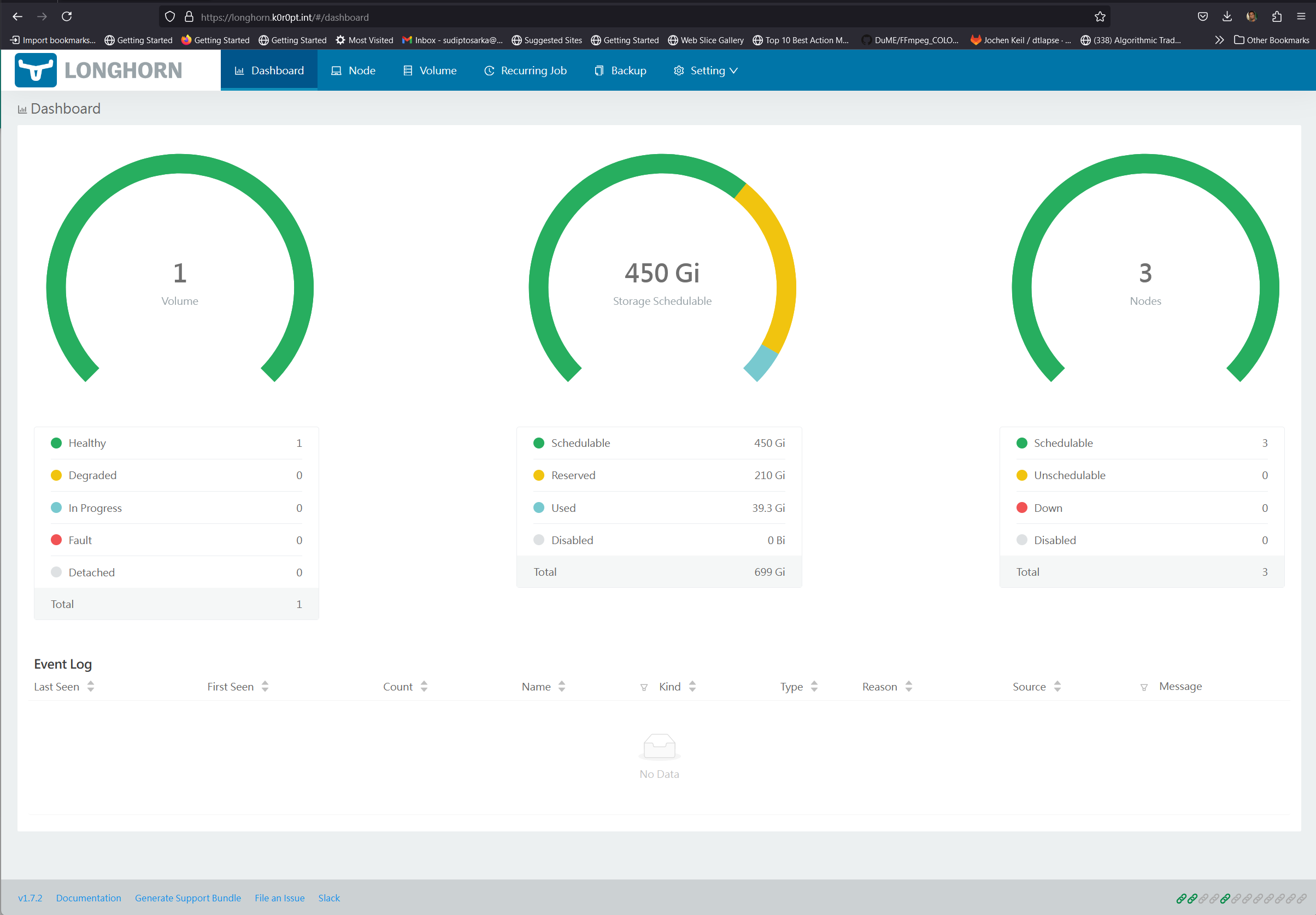
Turns out, and I had to beat my head against the wall for a good 3 hours before figuring it out, the ca server was not able to resolve the new target host longhorn.k0r0pt.int. This was happening because the resolution was happening from systemd, and not my bind9 DNS server. Once I figured that out, the solution was as simple as sudo resolvectl dns eth0 127.0.0.1 1.1.1.1 8.8.8.8, wherein I’m essentially telling systemd to try to resolve with the bind9 DNS server, which is running on 127.0.0.1 as opposed to 127.0.0.53. Once that was done, I deleted and recreated the ingress, and this time, it went through smooth as butter.
Once all was said and done, I had my longhorn UI: